Introduction:
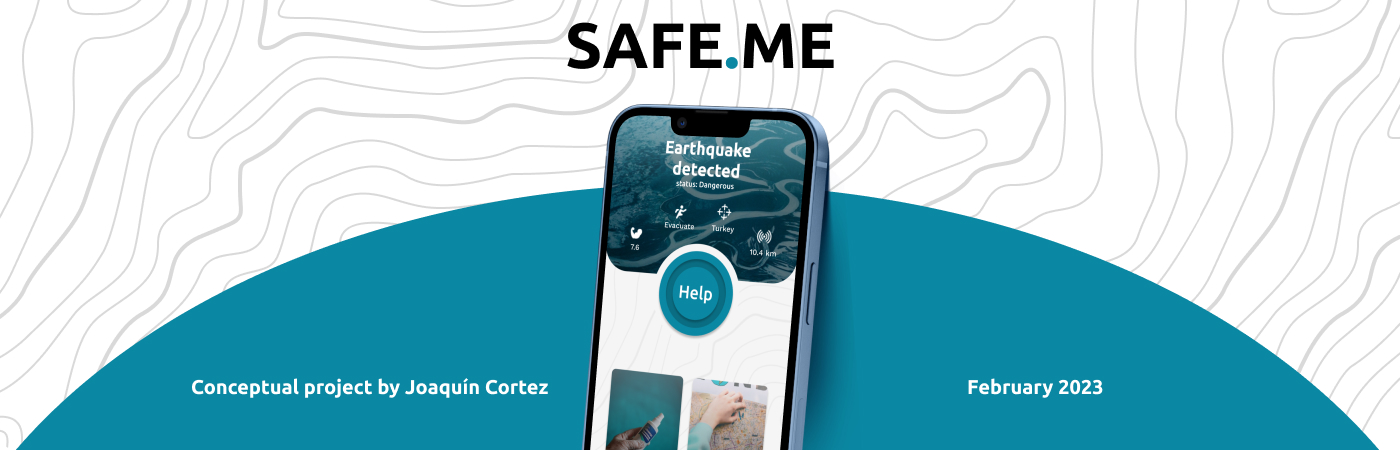
Safe Me is a mobile application designed to aid users during natural disasters or emergency situations. The application provides users with real-time information and immediate help at the touch of a button. The application's primary goal is to provide users with a sense of security and help during emergencies.
Problem Statement:
The world is constantly affected by natural disasters, and people need a reliable way to access emergency services quickly. Traditional emergency services such as 911 or 112 may not be readily available during natural disasters, and people may not be aware of other resources available to them. The challenge was to design an application that helps users quickly access the help they need during emergency situations.
Research:
I conducted extensive research on natural disasters and emergency situations to identify the needs of users. I conducted user interviews and surveys to gather insights on users' behavior and preferences in emergency situations. I found that users want an application that is easy to use, provides real-time information, and connects them with emergency services.
The process:
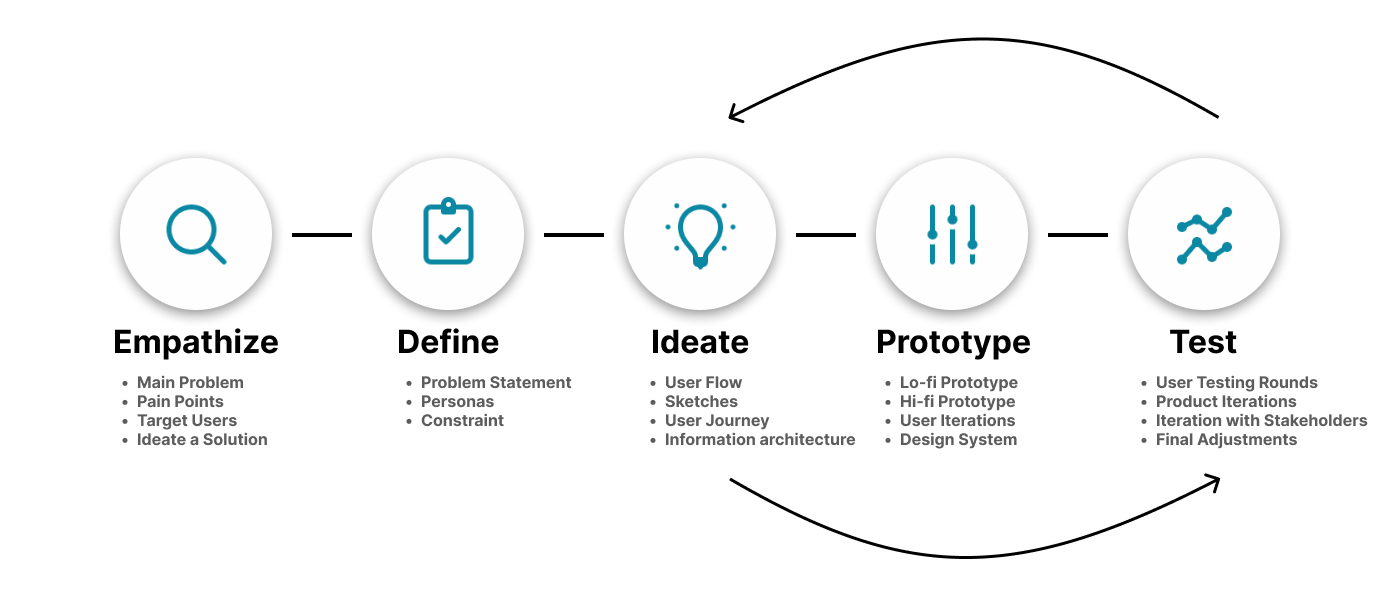
Based on my research, I created a user persona named Sarah, a 28-year-old living in a coastal area prone to hurricanes. Sarah is tech-savvy and uses her smartphone for most of her daily activities. She wants an application that helps her access emergency services quickly during natural disasters.
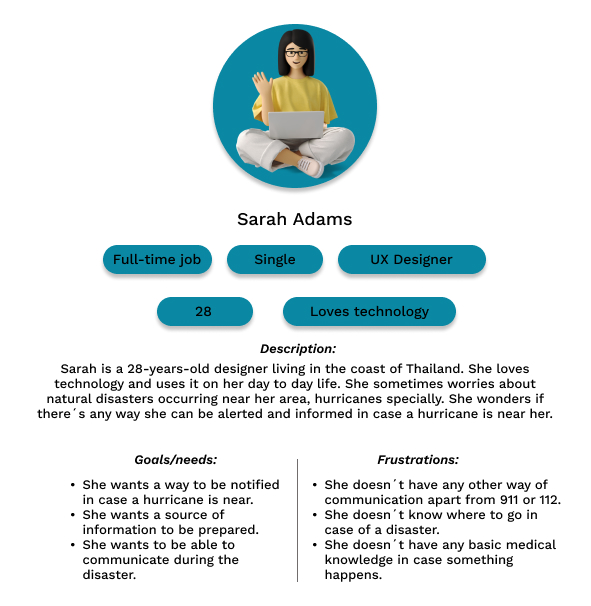
The user flow of the Safe Me app was designed with simplicity, speed, and efficiency in mind. The flow was crafted to shorten the time it takes for users to access the information they need and connect with emergency services. I created a minimalist interface that allows users to quickly and easily navigate the application. The immediate help button, live map, and tips section were strategically placed on the main screen to reduce the number of steps required to access them. The application's user flow was carefully crafted to provide users with a seamless experience during emergency situations. By simplifying the flow and reducing the number of clicks required to access critical information, users can quickly find the help they need, ultimately improving their safety and well-being.
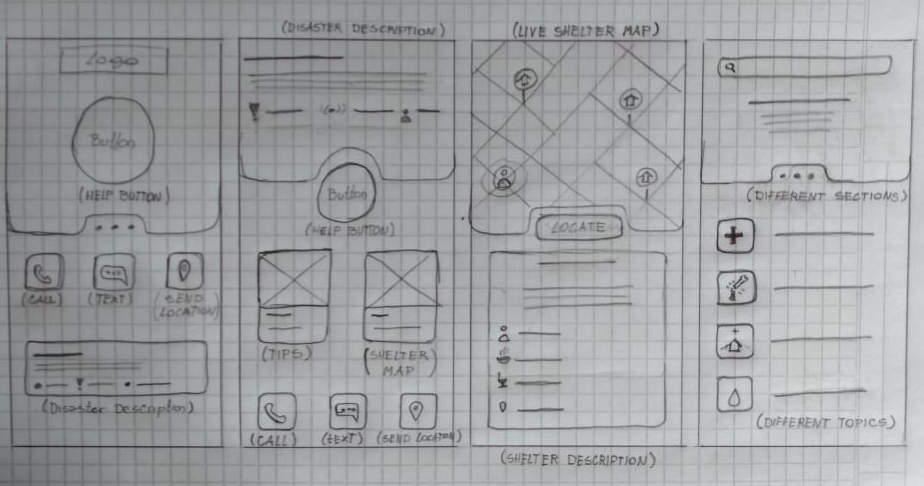
The wireframes were created with a minimalist approach to prioritize the essential features of the app. The main screen was designed to be intuitive and easy to navigate, with a prominent call-to-action for the immediate help button. The live map feature was given a prominent position on the main screen, allowing users to quickly and easily access the nearest aid services. The tips section was designed to provide users with critical information in a simple and digestible format. The overall structure of the app was designed to be intuitive and straightforward, with a clear and concise navigation menu. The design decisions were based on the principle of reducing cognitive load and providing users with the information they need as quickly and efficiently as possible.
Features:
Help button

The immediate help button is the most prominent feature of the application. It is located at the center of the main screen, making it easy for users to find and access. When users tap the button, it immediately connects them with emergency services. This feature is particularly useful during situations where traditional emergency services may not be readily available.
Live map

The live map feature shows users the nearest aid services, including hospitals, police stations, and fire departments. The map updates in real-time and provides users with the quickest and safest route to the nearest aid services. This feature is particularly useful during natural disasters where roads may be blocked, and users may not be aware of other resources available to them.
Tips section

The tips section provides users with general knowledge to prepare them for rough situations. The section covers topics such as emergency preparedness, first aid, and what to do during natural disasters. This feature is particularly useful for users who live in areas prone to natural disasters and want to be prepared.
Conclusion:
Creating this app was an exciting experience for me, I had to balance simplicity, efficiency, and usability while keeping the user's safety in mind. Some of the challenges faced during the design process included working with limited information, different opinions and comments form the users, and balancing the needs of different user groups. However, through deep research and creativity, I was able to create an app that meets the needs of users during emergency situations. The experience of creating the Safe Me app taught me valuable lessons about the importance of user research, simplicity, and creativity in the design process. I believe that this app can make a significant impact on users' safety and well-being.